
Supporting you from first resource to final insight
Three connected phases, Create ➞ Grade ➞ Accelerate, that support the whole teaching and learning workflow.
One platform. Every step of the learning journey.

Build standards-aligned resources in minutes – not hours

Grade student work and return personalized feedback in an instant

Turn results into insight and personalized next steps for true student growth
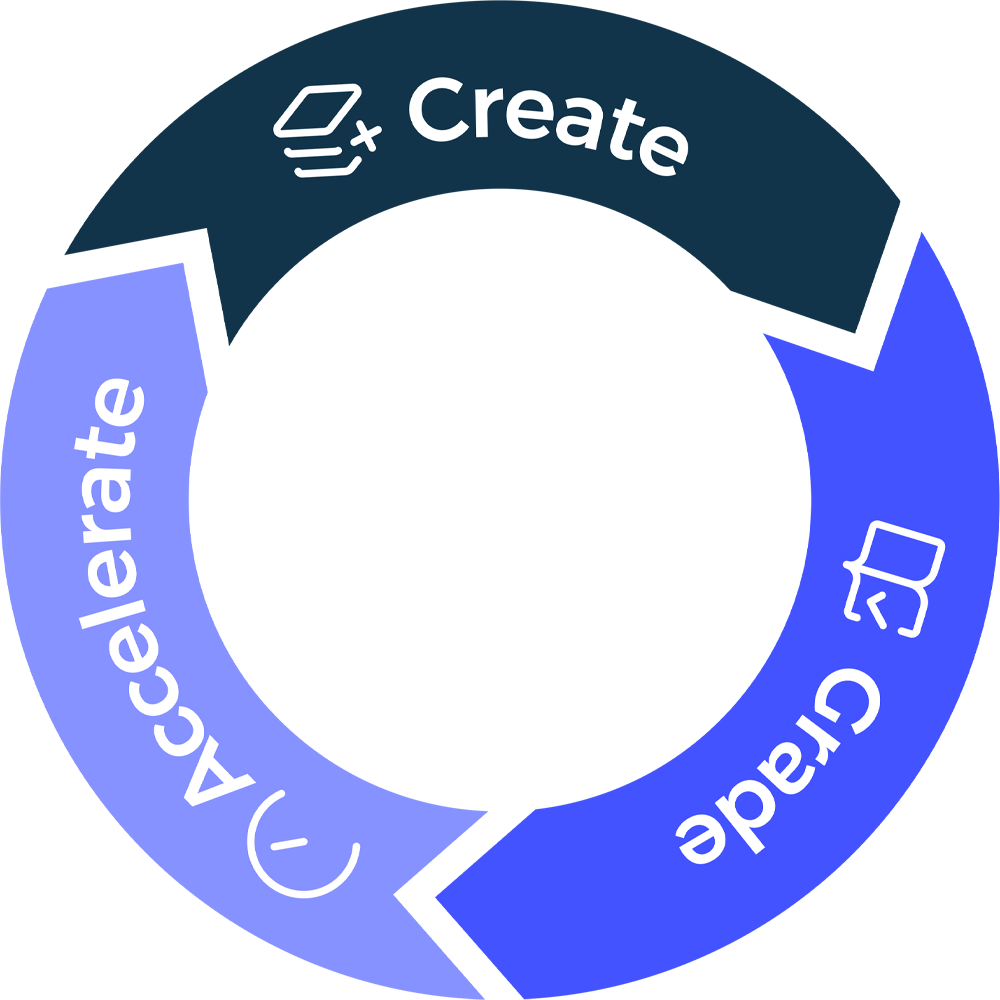
And it doesn’t stop there. The insights from every graded assignment feed directly back into Create – so the next resource your students receive is shaped by how they actually performed, not by a one-size-fits-all plan.
“
We are so impressed with the software so far - the potential it gives us to advance our teaching is very exciting. SmartEducator is allowing us to maintain accurate, reliable grading for all of our students, which is ultimately our key priority.
Callum Burns
Department Lead
”
 VOICE CHAT
Just ask. SmartEducator does the rest.
Talk to SmartEducator the way you’d talk to a colleague: ask it to open your grading, build a quiz or tell you how a class did, and hear it answer while it gets on with the task.
- “Take me to my grading”
- “Make a 5-question quiz on photosynthesis”
- “How did 9B do on the last test?”
- “Which students need support?”
- Hold to talk, or go hands-freeHold to talk is the default, which suits a busy classroom, with hands-free for when you’re on your own.
- Stays with you on every pageMove from grading to insights mid-conversation and the voice icon comes too, without covering your work.
- Out of the way of your workThe voice icon sits to one side of the page, so the information you are working on stays in view.
 SmartEducatorAssignments
Dashboard
Assignments to grade
Insights · Grade 9 Science
I’m listening…Sample content shown. The voice icon stays with you as you move from page to page.

Works with every subject you teach, wherever you teach it.
SmartEducator is completely subject-agnostic – it handles any subject you upload. From core subjects to specialized and elective courses, the platform supports an exhaustive range of learning areas. It works across all state standards and grade levels – or to your own, user-defined specification.
 Geography
 History
 Science
 English
 Math
Math Languages
 Art
Art Music
MusicBuilt to work inside the tools you already use.
SmartEducator connects with the major LMS platforms – Google Classroom, Canvas, Microsoft Teams, Microsoft OneNote and more – so your existing workflow stays intact. Assignments go out through your LMS and student submissions come back automatically, with grades and feedback pushed directly to the integration.
For schools integrating at institutional level, class rosters, student information and assignments can all be pulled through directly, ensuring setup is as simple as possible.
more LMS platforms, so your school isn't limited to the ones we name. Using something else? Get in touch.
 Google Classroom
 Canvas
 Microsoft Teams
 Microsoft OneNote
 Fully browser-based
 Works on any device
 Simple sign up
A SMART MOVE FOR THE FUTURE
See what a semester as a SmartEducator feels like. Sign up to the SmartEducator platform now!